Workspace Templates
Workspace Templates
A workspace template is the folder a new matter is copied from, so matters of the same kind start the same way. A template is an ordinary folder directly inside the Templates Store, which only admins can see.
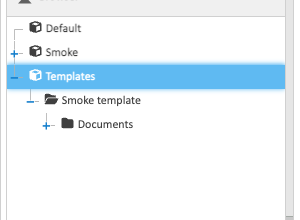
Building a Template
Create a folder in the Templates Store, then build it with the usual tools:
- folders and subfolders, such as Documents, Secured Documents and Emails;
- permissions on each folder, naming groups such as Everyone. A folder can be more restricted than the one above it, never less;
- properties set on folders, such as an Invoices folder that sets Class to Financial;
- search folders, such as Recent Work. Right-click a folder and choose New search folder…. See Search Folders.
Templates hold no documents.
What a New Matter Gets
Creating a matter copies the template’s folder tree, each folder’s permissions, the properties set on each folder, and its search folders with their rules.
Changing a template doesn’t change matters already made from it. Only matters created afterwards get the change.
An Example
| Folder | Permissions |
|---|---|
| (the workspace) | Everyone: read. IT: read and modify |
| Documents | the same as the workspace |
| Secured Documents | its own: IT only |
| Emails | its own: IT only |
| Recent Work | a search folder: documents anyone changed in the last 30 days |
| My Recent Work | a search folder: documents you changed in the last 30 days |